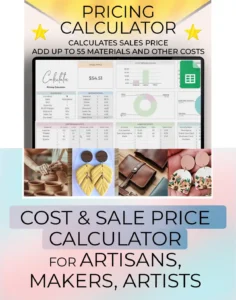
pricing calculator spreadsheet

Product Pricing Calculator Spreadsheet | Small Business Google Sheets Template, Cost & Profit Estimator

Product Pricing Calculator Spreadsheet | Small Business Google Sheets Template, Cost & Profit Estimator Read More »

Product Pricing Calculator Spreadsheet for Google Sheets – Small Business Pricing Template

Take control of your product pricing with this easy-to-use Google Sheets pricing calculator. Designed specifically for small business owners, crafters, Etsy sellers, and handmade product creators, this Google Sheets template helps you accurately calculate the ideal sales price for your products—without underpricing or overcharging.

Whether you’re selling on Etsy, Amazon, eBay, Shopify, or your own website, this business pricing spreadsheet factors in:

  • Cost of materials

  • Labor

  • Profit margin

  • Discounts

  • Sales tax

  • Platform fees (like Etsy, PayPal, Stripe)

 Features:

Single Product Calculator – Price one product at a time with full breakdowns
Multiple Product Pricing Tab – Compare and analyze pricing for multiple products
Materials List Tab – Keep a reusable database of your supplies and materials
Beginner-Friendly – No formulas needed, just input your data
Fully Automated – All calculations are done for you
Use Any Currency – Sell from anywhere in the world

This template is perfect for:

  • Etsy sellers

  • Handmade business owners

  • Resellers and dropshippers

  • Crafters and side hustlers

  • Anyone who needs to price physical or digital products accurately

Use it as a pricing guide, cost estimator, or a profit margin calculator to support your small business success.

IMPORTANT:
This is a Google Sheets template (not Excel). You will need a Google account (Gmail) to use it. After purchase, download the PDF, click the link inside, and make a copy of the spreadsheet to your Google Drive.

Not sure if this is right for you? Watch our video tutorial here:

https://youtu.be/ovvQgMIiSV0
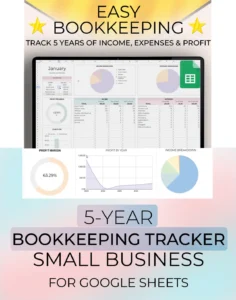
Main staging image of the Easy Bookkeeping template spreadsheet showing an overview of the main tab and the graphs and charts which are automatically generated.

Easy Bookkeeping Spreadsheet | 5-Year Income, Expenses & Profit Tracker

Easy Bookkeeping Spreadsheet | 5-Year Income, Expenses & Profit Tracker Read More »

BOOKKEEPING SPREADSHEET – Small Business Accounting Template (Google Sheets)
Income & Expense Tracker | Tax & Profit Dashboard | 5-Year Financial Overview

Take control of your small business finances with this easy-to-use Bookkeeping Spreadsheet for Google Sheets. Designed for entrepreneurs, freelancers, side hustlers, and anyone managing multiple income streams, this accounting template helps you track income, expenses, taxes, and profit or loss — all in one place.

Accessible on any device, this spreadsheet is perfect for staying organized year-round, simplifying tax season, and gaining clear financial insights with charts, graphs, and dashboards.

✅ What’s Included:

  • Instructions Tab – Step-by-step visual guide for easy setup and use

  • Start Tab – Customize your currency, set up over 60 income and expense subcategories, define 5-year profit goals, and select your start date

  • Log Tab – Record all transactions with date, amount, category, subcategory, sales tax, fees, and account selection

  • Month Tab – View a detailed monthly summary with pie charts and graphs for income, expenses, and net profit/loss

  • Custom Tab – Choose any date range to analyze performance

  • Year Tab – Annual overview with monthly breakdowns and visual analytics

  • 5-Year Dashboard – See long-term growth and performance comparisons across five years

  • VAT / Sales Tax Tab – Monitor taxes collected and paid

  • Balance Dashboard – Track up to 40 different account balances with adjustment features

🧾 Perfect For:

  • Small business owners

  • Freelancers & contractors

  • Side hustlers

  • Digital entrepreneurs

  • Anyone looking for a simple, powerful bookkeeping tool

⚠️ Note:
This is a Google Sheets template. You will need a Google account (Gmail) to use it.
This is not compatible with Excel.

Not sure if this is the right bookkeeping template for you? Watch our instructions video here: 

https://youtu.be/dqSks_eneo0

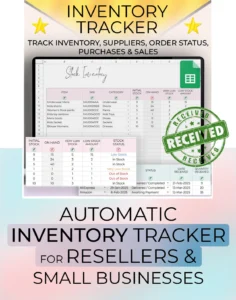
Staging picture of the Inventory and Invoice Tracker spreadsheet showing overview of the template spreadsheet. Made by Simply On Budget.

Inventory & Invoice Tracker Spreadsheet | Google Sheets Reseller Template | Small Business Bookkeeping & Sales Tracker

Inventory & Invoice Tracker Spreadsheet | Google Sheets Reseller Template | Small Business Bookkeeping & Sales Tracker Read More »

Inventory Tracker Spreadsheet for Google Sheets

Perfect for resellers and small business owners, this all-in-one Inventory Tracker Spreadsheet helps you stay on top of your stock, purchases, suppliers, and sales — all in one easy-to-use Google Sheets file.

Whether you’re managing a growing product catalog or just starting your resale business, this tracker simplifies your inventory management and bookkeeping. The spreadsheet updates automatically as you enter purchases and sales, so you’ll always know your stock levels and reorder needs at a glance.

What’s Included (8 Tabs Total):

✅ Instructions – Step-by-step guide to using the sheet

✅ Set Up – Enter your product categories (auto-linked to dropdowns)

✅ Suppliers – Log supplier contact details (used across the spreadsheet)

✅ Inventory – Add product names, SKUs, categories, and more

✅ Purchases – Track order quantities, suppliers, delivery status, and notes

✅ Sales – Log sales, shipping status, and returns

✅ Sales Dashboard – Auto-generated monthly sales stats by product & category

✅ Stock Dashboard – See what’s out of stock, low stock, or on order

Key Features:

– Built in drop-down menus for faster data entry

– Auto-calculating inventory based on purchases and sales

– Dashboards for quick analysis and decision-making

– Easy to customize for any product-based business

– Works on Google Sheets – no software needed

– Compatible with small, medium, and large reseller businesses

Who It’s For:

– This spreadsheet is perfect for:

– Resellers on Etsy, eBay, Poshmark, Amazon, and more

– Small business owners tracking physical inventory

– Bookkeepers managing stock and sales data

– Anyone who wants a simple, organized inventory system

Not sure if this is the right tool for you? Watch our instructions video here:

https://youtu.be/miPYR_SOxGI

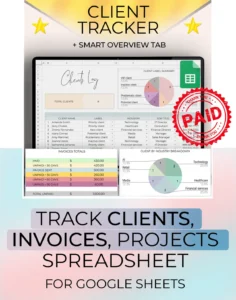
Staging picture of the Client Tracker spreadsheet showing an overview of the Clients Log, table summaries, and graphs and charts. This google sheet tool provides a client log tab, an Invoices tab, a Projects Tab, and a smart overview tab. Made by Simply on Budget.

Client Tracker Google Sheets – Business CRM, Bookkeeping, Inventory and Invoice Management, Customer and Project Tracker

Client Tracker Google Sheets – Business CRM, Bookkeeping, Inventory and Invoice Management, Customer and Project Tracker Read More »

Stay organized with this simple Client Tracker for Google Sheets. Manage client details, invoices, and projects all in one place. Easily update client info like name, address, email, last contact date, notes, and even rate clients by priority.
Track invoices effortlessly — record issued invoices, split totals into smaller payments, and monitor what’s paid, invoiced, or overdue with built-in visuals and automatic calculations.

Why You’ll Love It:

◆ Quick start — easy for beginners – with video instructions

◆ Add your clients and assign labels

◆ Add you invoices information and track payments

◆ Projects information with simple visuals

◆ Client status tracker pulls all information in one place to see

What happens after purchase?

You will receive a link to a pdf file to download. Once you download the pdf file, you will see there is a place to click which will forward you to the Google sheet link for the product.

This product comes with clear video instructions, there will be a link to the video instructions in the file.

Not sure if this is the right product for you? Check out our instructions video here:

https://youtu.be/6lSBvvfjBuk

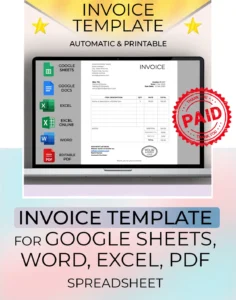
Invoice Template Spreadsheet – Google Sheets, Excel, Word, PDF | Editable & Printable - staging picture showing the template and all the formats that you will receive with the purchase

Invoice Template Spreadsheet – Google Sheets, Excel, Word, PDF | Editable & Printable

Invoice Template Spreadsheet – Google Sheets, Excel, Word, PDF | Editable & Printable Read More »

An Invoice Template available in so many formats – Google Sheets, Google Docs, Excel, Excel Online, Editable PDF, Word. With our format options, you are guaranteed to be able to use this template right from the start.

This invoice template is just that – a one page template for you to invoice your clients. Choose one of the many formats offered, open it, and start using it. Easily add in your company name and details, the name of the person or company you are invoicing, add a description of the item, rate, quantity, total. Option to add discount and tax. For Google sheets or excel, the template will automatically do the calculations for you! For Google Docs, Word, or Editable PDF- you manually enter the tax or discount as it’s not possible for have it automatically calculate. For Google sheets, excel, Word, there is the possibility to add your custom company logo in it.

Why choose our Invoice template:

◆ One purchase gets you 6 formats

◆ Auto calculations — in Google Sheets, Excel, Excel Online

◆ Can be used offline – with Excel, Word, PDF

◆ Simple and straightforward design

◆ Convenient and you own it forever

◆ No unnecessary graphics – easy on the ink

Please note, this is a digital download. You’ll get instant access after purchase with downloadable files, which are well labeled to help you find the format you want. If you have any questions along the way, feel free to send a message. Start using this invoice template today to invoice your clients and sales!

Not sure if this is the right product for you? Watch our instructions video here:

https://youtu.be/XNZsbQ1jZ7g

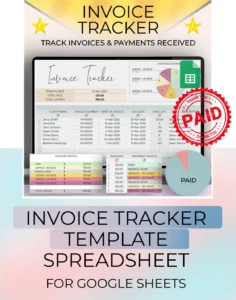
Staging picture of the Invoice Tracker spreadsheet for google sheets. This template spreadsheet is perfect for small businesses or freelancers

Invoice Tracker Spreadsheet – Google Sheets Template for Small Business & Freelancers

Invoice Tracker Spreadsheet – Google Sheets Template for Small Business & Freelancers Read More »

An Invoice Tracker for Google Sheets to help keep track of all your invoices, invoices sent, payments received, and payments overdue. Tracks how many days an invoice is overdue.

This invoice tracker is just that – an easy to use beginner friendly template. The product download includes three tabs:

◆ Instructions tab – very simple and easy to use instructions with a video link

◆ Set Up tab – where you can customize the drop down menus

◆ Invoices tab – where you log your invoices, dates, and payments received

Just log in the client name, invoice number, date invoiced, date due, and the business template will automatically tell you if an invoice is overdue. Record invoices received and highlight invoices overdue of 30, 60, or 90 days. For Google sheets, the simple invoice tracker will automatically do the calculations for you! Always know which invoices have been paid, and how much is still to be received.

Why choose our Invoice template:

◆ Super easy to use

◆ Auto calculations

◆ Can be used offline

◆ Simple and nice design

◆ Convenient and you own it forever

Please note, this is a digital download. You’ll get instant access after purchase with downloadable files, which are well labeled to help you find the format you want. If you have any questions along the way, feel free to send a message. Start using this invoice tracker today to track payments and dates!

Not sure if this is the right product for you? Watch our instructions video here:

https://youtu.be/33sovmvQSI8

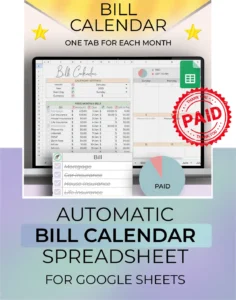
Staging picture for the Bill Calendar tracker spreadsheet for google sheets, showing product overview

Bill Calendar for Google Sheets – Budget Spreadsheet & Subscription Tracker

Bill Calendar for Google Sheets – Budget Spreadsheet & Subscription Tracker Read More »

Take control of your bills with our Bill Calendar for Google Sheets!
This dynamic one-tab calendar is perfect for beginners who want to stay on top of their finances. With just 3 easy steps—log your bills, view them in a monthly calendar, and check them off—you’ll never miss a payment again.

Easily track all your subscriptions in one place with a dedicated section. From monthly to irregular bills (yearly, quarterly, bi-annually), everything is organized. Visual indicators show what’s paid and what’s still due, so you always know what’s coming up.

This Google Sheets template is beginner-friendly and simple to use. Just follow the clear instructions, and the automatic calculations and dynamic calendar visuals will do the rest.

This product is for Google Sheets and requires a Google account (Gmail).
It is not compatible with Excel.

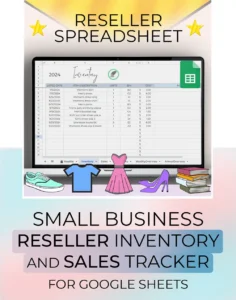
reseller spreadsheet template

Reseller Inventory and Sales Tracker Spreadsheet for Google Sheets

Reseller Inventory and Sales Tracker Spreadsheet for Google Sheets Read More »

Stay on top of your inventory and sales with our Reseller Spreadsheet for Google Sheets.
This beginner-friendly template is designed for small business owners and resellers looking to track inventory, sales, expenses, and profits—all in one place.

What’s included:

  • Inventory tab – log in your items, purchase costs, and storage location

  • Sales tracker – record platform fees, shipping costs, advertising, and profit/loss

  • Dashboard views – track your performance by day, month, and year

  • Advanced stats – view ROI, units sold, days to sell, total profit, and more

  • Tax-ready – organized records for sales, refunds, costs, and deductions

  • Multi-currency support – easy to customize for your region

  • Use it forever – works for any year

Whether you sell on eBay, Poshmark, Mercari, Amazon, Bonanza, Facebook Marketplace, or Ruby Lane, this Google Sheets template keeps your business organized and running smoothly.

This is a digital spreadsheet for Google Sheets. A Google account (Gmail) is required. Not compatible with Excel.

Not sure if this is the right template for you? Watch our video instructions here:

https://youtu.be/gTnHs5Uot-E

Review My Order

0

Subtotal