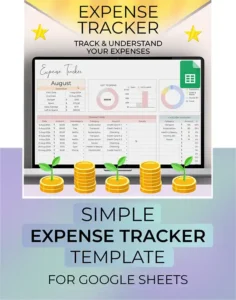
expense tracker google sheets

Simple Expense Tracker – Google Sheets Template for Easy Budgeting

Simple Expense Tracker – Google Sheets Template for Easy Budgeting Read More »

Expense Tracker for Google Sheets – Budget Smarter, Spend Wiser

Take control of your personal finances with this easy-to-use Google Sheets Expense Tracker template. Designed for simplicity and clarity, this spreadsheet helps you track daily expenses, manage multiple spending categories, and monitor your bank accounts and credit card usage in one place.

✅ What You Can Do with This Budget Tracker:

  • Create custom expense categories and group them under broader budget sections

  • Log each transaction and assign it to a payment account (bank, card, wallet)

  • Track credit card spending to stay within your limit and avoid overdrafts

  • Instantly view auto-updating charts and graphs showing where your money is going

  • Monitor totals by account and spending category for better financial decisions

  • Use any currency – supports users worldwide (USD, CAD, EUR, GBP, INR, etc.)

This Google Sheets budgeting template works for any month and year, so you can reuse it forever—no need to buy again. It’s perfect for:

  • Personal finance tracking

  • Monthly budgeting

  • Money management for couples or families

  • Anyone new to budgeting who wants a simple yet powerful solution

Beginner-friendly – Just follow the built-in instructions
All formulas & charts are automated
No need for Excel or additional software
✅ Works on desktop, tablet, and mobile

📝 You’ll need a Google account (Gmail) to use this template.
⚠️ This is a Google Sheets template, not compatible with Excel.
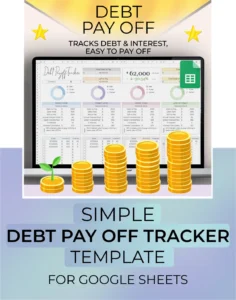
Main staging image of the Debt Payoff Tracker Spreadsheet template in Google Sheets, perfect for tracking and paying off debt visually.

Debt Payoff Tracker Spreadsheet | Google Sheets Budget & Credit Tracker Template

Debt Payoff Tracker Spreadsheet | Google Sheets Budget & Credit Tracker Template Read More »

Debt Payoff Tracker | Google Sheets Budget & Credit Tracker Spreadsheet

Take control of your personal finances with this Debt Payoff Tracker for Google Sheets. Designed for individuals and families working toward financial freedom, this simple yet powerful 1-tab spreadsheet helps you manage and track your debts, loans, and payments—all in one place.

With just 3 easy steps, you can start organizing your debt:

  1. Enter all lenders and the total amount owed.

  2. Log each transaction and payment.

  3. Instantly visualize your progress with dynamic charts.

This Google Sheets debt tracker also lets you separately track interest paid, so you can see your true repayment totals—a feature that many basic budget spreadsheets overlook.

Ideal for beginners, this personal finance template is easy to use, with built-in formulas and charts that update automatically. No Excel required—this is a Google Sheets template and only needs a Gmail account to get started.

✔️ Automatically calculates totals
✔️ Tracks principal and interest separately
✔️ Includes visual progress charts
✔️ Beginner-friendly and editable
✔️ Works with any currency
✔️ Great for budgeting, debt snowball or avalanche methods
✔️ Instant access after purchase

Note: This is a Google Sheets file and requires a Google account to use. It is not compatible with Microsoft Excel.

Not sure if this is the right template for you? Watch our video instructions here:

https://youtu.be/lXyEpaC9JXk

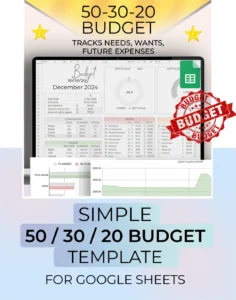
A staging picture showing an overview of the 50 / 30 / 20 budget template.

50/30/20 Budget Spreadsheet for Google Sheets | Monthly, Weekly Paycheck Template | 70/20/10 | Expense Tracker Financial Planner

50/30/20 Budget Spreadsheet for Google Sheets | Monthly, Weekly Paycheck Template | 70/20/10 | Expense Tracker Financial Planner Read More »

50/30/20 Budget Spreadsheet – Google Sheets Template

Take control of your money with this easy-to-use 50/30/20 Budget Spreadsheet for Google Sheets! This beginner-friendly, editable template is perfect for managing your income, tracking expenses, and planning your financial goals. Whether you’re using the classic 50/30/20 rule or tweaking it to 70/20/10 or 60/30/10, this financial planner makes it simple.

Split your income into three key categories:

  • 50% Needs – rent, groceries, bills

  • 30% Wants – dining out, fun, lifestyle

  • 20% Savings – emergency fund, debt payoff, investments

All percentages are customizable, so you can personalize your budget to match your life.

✅ Automatic Calculations

No more manual math! Just enter your income and expenses, and the spreadsheet calculates everything for you—including category breakdowns and totals.

📊 Beautiful Visuals & Charts

Instantly see where your money goes with auto-generated graphs and spending visuals. It’s budgeting at a glance!

📱 Access Anywhere

Use it on your laptop, phone, or tablet—budget on the go while you shop or plan.


Why This Budget Spreadsheet Works

→ Know where your money goes. Awareness is the first step to financial control.
→ Set real goals. Visualize what you’re aiming for—then go after it.
→ Reach those goals. Spend smarter, save better, and reduce financial stress.


More Features:

  • Fully customizable subcategories for Needs, Wants, and Savings

  • Dropdown menus that update automatically

  • Works in any currency

  • Ideal for monthly budgets, paycheck planning, biweekly tracking, and more

This digital budget tool is one of the simplest yet most powerful ways to take charge of your money. Whether you’re just getting started or want a flexible planner, the 50/30/20 Google Sheets Budget Spreadsheet can help you stay on track and make real progress.

Not sure if this is the right budget template for you? Watch our video tutorial here:https://youtu.be/8pLyRqB_lBY

budget by paycheck monthly annual spreadsheet finance template

Budget by Paycheck Spreadsheet | Google Sheets Monthly & Annual Budget Planner Template

Budget by Paycheck Spreadsheet | Google Sheets Monthly & Annual Budget Planner Template Read More »

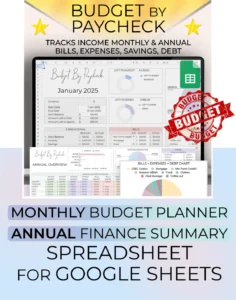
Budget by Paycheck – Google Sheets Budget Planner with Annual Summary

Take control of your finances with this Google Sheets Budget by Paycheck Spreadsheet—perfect for monthly, weekly, or biweekly budgeting. Designed with 12 pre-filled monthly tabs and a powerful Annual Summary tab, this template makes it easy to track your income, expenses, and financial goals throughout the entire year.

✅ What’s Included:

  • 12 Monthly Budget Tabs (January–December)

  • 1 Annual Tab (auto-calculates all monthly totals)

  • Transactions Log

  • Overview Table by Category

  • Visual Charts & Graphs

  • Currency Customization

  • Fully Editable and Beginner-Friendly

  • Instant Download + Easy Copy to Google Drive

🧠 How It Works:

  1. Input your income and customize your expense categories.

  2. Log your expenses and watch the dashboard update automatically.

  3. Analyze your monthly and yearly spending habits with auto-summed totals.

  4. Discover budget leaks like coffee runs, takeout, or salon visits—over an entire year!

🌍 Use it Anywhere:

Supports all currencies and works globally. Just change the currency in one place, and it updates throughout the spreadsheet.

📥 Delivery:

You’ll receive a PDF download with a direct link to your Google Sheets template. Just click “Make a Copy” and start budgeting instantly.

📌 Why This Budget Spreadsheet?

Unlike most templates, this one gives you annual totals—a feature most budgeting tools leave out. Whether you’re saving for goals or just trying to stop the money leaks, this spreadsheet will help you stay on track all year long.

Not sure if this is right for you? Watch our tutorial here:

https://youtu.be/lPp3QgQOI88

Simple budget by paycheck spreadsheet for google sheets overview

Simple Monthly Budget by Paycheck | Google Sheets Budget Planner | Biweekly Income & Expenses Tracker | Bill Organizer Spreadsheet

Simple Monthly Budget by Paycheck | Google Sheets Budget Planner | Biweekly Income & Expenses Tracker | Bill Organizer Spreadsheet Read More »

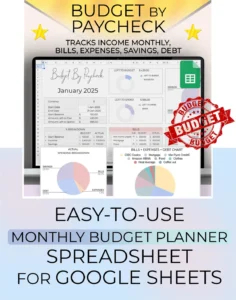
Budget by Paycheck – Google Sheets Monthly Budget Planner

Take control of your finances with our Budget by Paycheck Spreadsheet for Google Sheets. This beginner-friendly, easy-to-use digital planner is perfect for managing your money on a monthly, weekly, or biweekly basis.

Track Income, Expenses & Bills
Enter your income, set budgets by category, and log your transactions. The spreadsheet does all the calculations for you—automatically totaling expenses, comparing them to your set budgets, and generating visual graphs to show where your money is going.

Custom Categories & Subcategories
Fully customizable subcategories allow you to tailor your budget to your lifestyle. Once set, they appear as dropdown options in your transaction log, keeping everything organized and consistent.

Currency Flexibility
Whether you’re budgeting in USD, CAD, EUR, or any other currency, you can change the currency setting in just one place—no extra formatting needed.

Instant Download & Easy Setup
After purchase, you’ll receive a PDF with a Google Sheets template link. Click “Make a Copy” to save it to your Google Drive and start budgeting right away. Requires a Google account (Gmail).

💬 Support Always Available
Have questions? Message me anytime on Etsy—I’m happy to help!

Perfect for:
Budgeting by paycheck, organizing monthly bills, managing biweekly income, tracking personal finances, and building financial awareness.

Not sure if this is right for you? Watch our tutorial here:

https://youtu.be/0Hn0I8SmGko

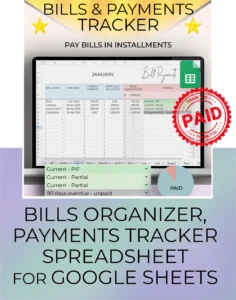
A staging picture of the Bills and Payments Tracker, showing an overview of the tab. Bills can easily be paid in multiple payments, and the payment dates recorded. The product includes video instruction. Made by Simply On Budget.

Bill Payments Tracker – Google Sheets Template | Monthly, Weekly, Bi-Weekly Bill Organizer & Budget Overview

Bill Payments Tracker – Google Sheets Template | Monthly, Weekly, Bi-Weekly Bill Organizer & Budget Overview Read More »

Easily track your bills each month with this Google Sheets spreadsheet, even if payments are split into smaller installments. It’s perfect for managing partial payments and prioritizing expenses with a clear, organized system.

The template includes a separate tab for each month of the year. Don’t need all the months? Simply delete the extra tabs—no complicated setup required.

Beginner-friendly and easy to use, this Google Sheets template features automatic calculations and simple, step-by-step instructions.

Please note: This product is designed for Google Sheets and requires a free Google account (Gmail). It is not compatible with Excel.

Is this right for you? Watch the instructions video here to help you decide:

https://www.youtube.com/watch?v=kKMnYwd9Y4I

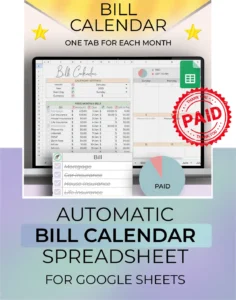
Staging picture for the Bill Calendar tracker spreadsheet for google sheets, showing product overview

Bill Calendar for Google Sheets – Budget Spreadsheet & Subscription Tracker

Bill Calendar for Google Sheets – Budget Spreadsheet & Subscription Tracker Read More »

Take control of your bills with our Bill Calendar for Google Sheets!
This dynamic one-tab calendar is perfect for beginners who want to stay on top of their finances. With just 3 easy steps—log your bills, view them in a monthly calendar, and check them off—you’ll never miss a payment again.

Easily track all your subscriptions in one place with a dedicated section. From monthly to irregular bills (yearly, quarterly, bi-annually), everything is organized. Visual indicators show what’s paid and what’s still due, so you always know what’s coming up.

This Google Sheets template is beginner-friendly and simple to use. Just follow the clear instructions, and the automatic calculations and dynamic calendar visuals will do the rest.

This product is for Google Sheets and requires a Google account (Gmail).
It is not compatible with Excel.

Review My Order

0

Subtotal